Reply to a conversation
How to open a conversation, write a reply, send it, and mark it as done without leaving the keyboard.
Practice inbox
Alia6Active3Snoozed1Done
Click here, then use your keyboard
Click the window, then press the keys. It reacts the way the app does.
Step 1 of 5
Open the selected conversation
The action bar
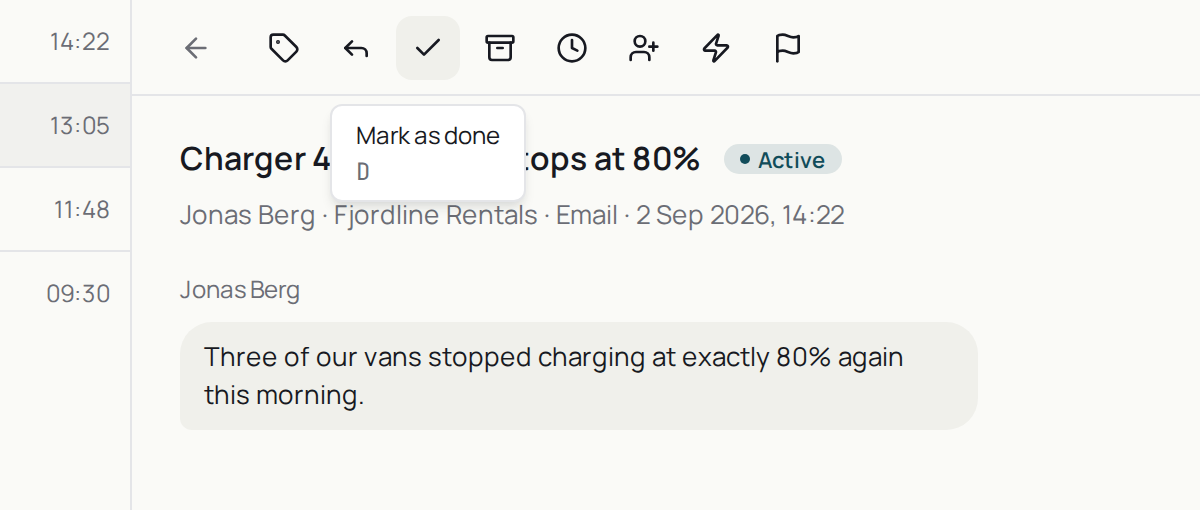
It sits above the thread, left to right: tags, reply, done, archive, snooze, assign, macro, flag. Hover any of them and the tooltip names the key that does the same thing.
The product says
“⌘ ↵ send · !! snippets · ;; actions · Esc hide”
Do it now
Open any conversation, send a reply, then press D.