Atender for iPhone
For agents and managers at companies that use Atender for customer support. Watch the operation, and step in when a conversation needs a person.

Free to download. Needs an Atender work account.
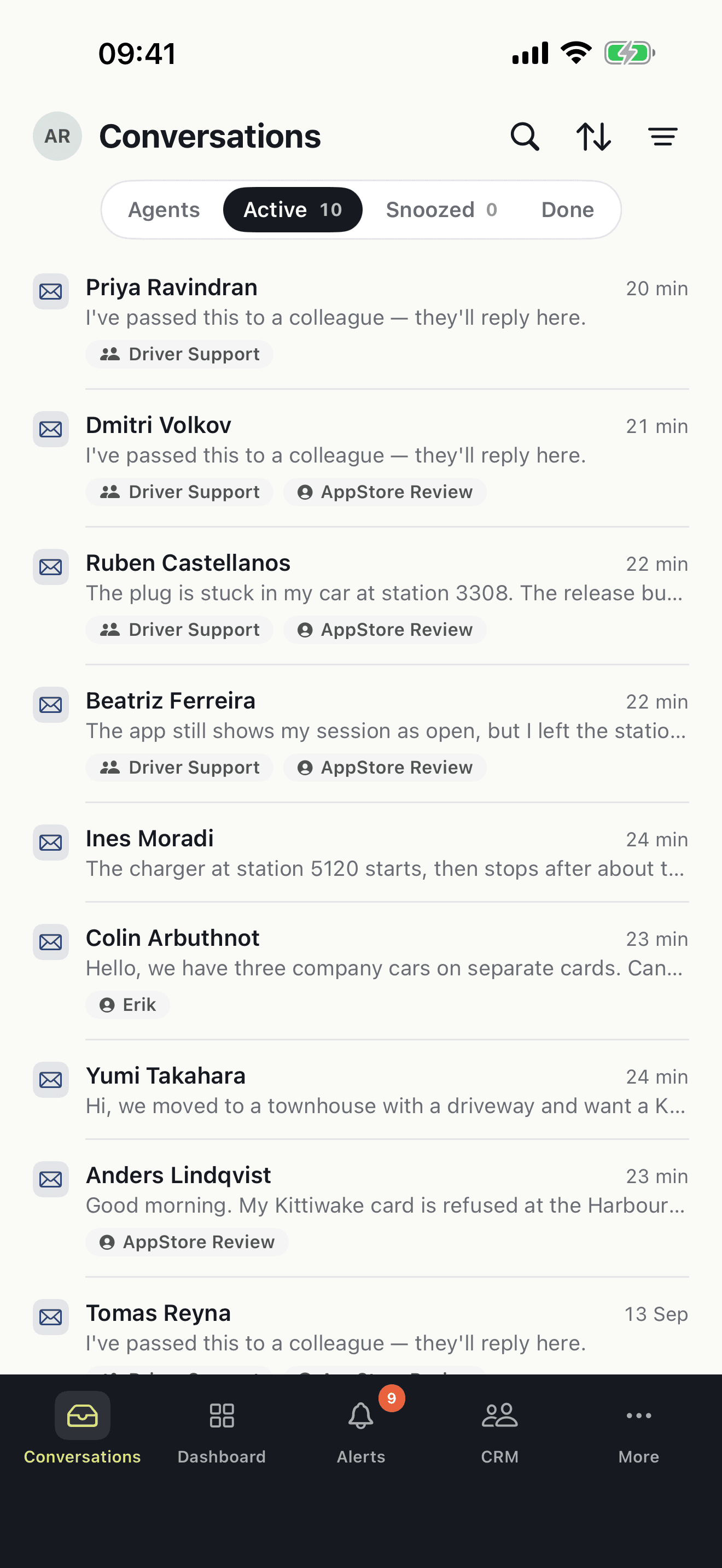
What's in the app
- Agent StackThe conversations the AI is handling, and the ones that need a person.
- Take overTake a conversation from the Agent Stack with one tap.
- HandoverWhen the Agent Stack asks for a person, accept the conversation and reply.
- DashboardOpen conversations, queue depth and who is online, right now.
- AnalyticsVolumes, response times and trends for your team or the whole workspace.
- SnippetsThe snippets and macros your team already uses in the web app.
- SearchFind any conversation by channel, status, team, sender or content.
- AlertsA push alert when work is assigned to you or a promise is about to run out.
See what the AI is handling
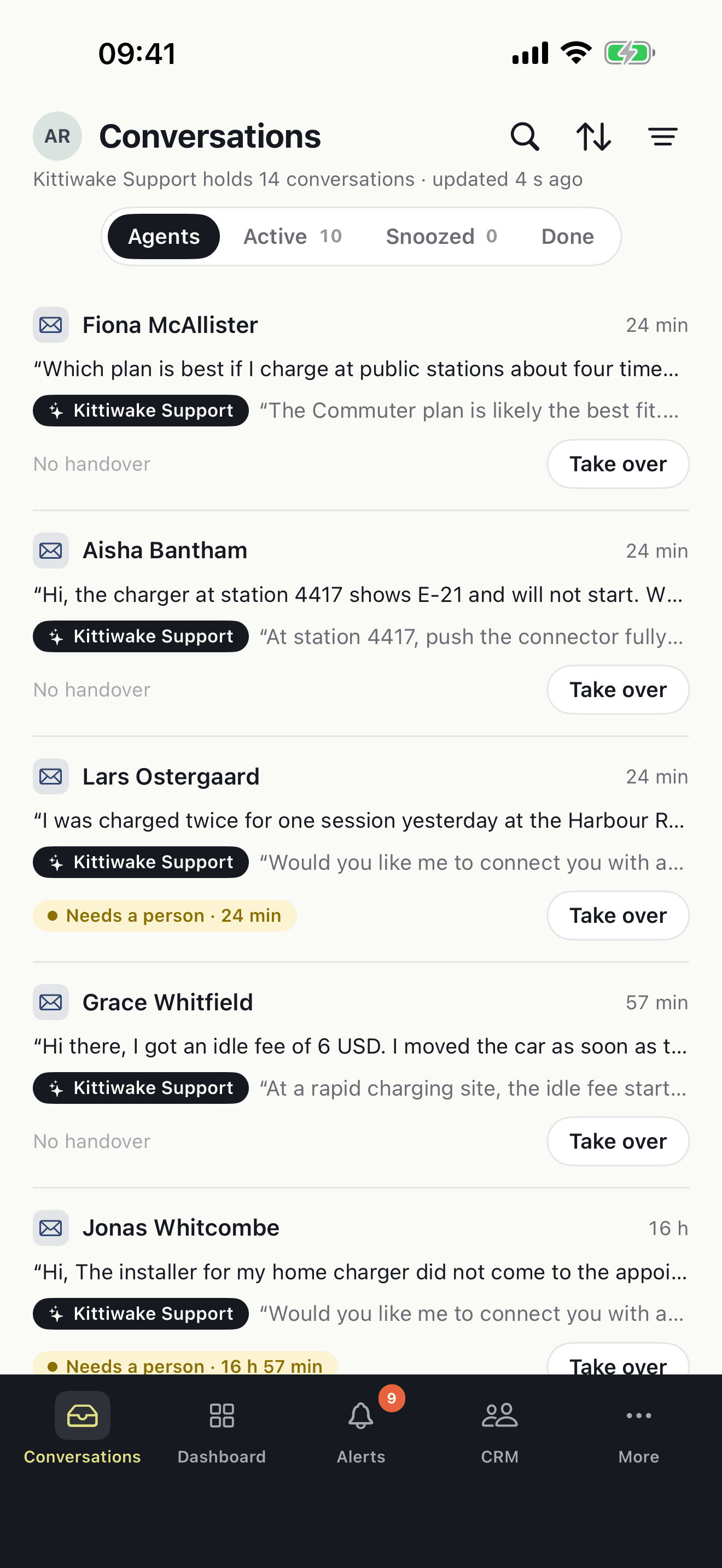
The Agents tab lists every conversation your Agent Stack is answering, with the customer's question and the AI's last reply on each row. A conversation that needs a person is marked, with how long it has waited.
- One row per conversation: the question, the AI's reply, the handover state.
- “Needs a person” shows the wait so far.
- Take over from the row, without opening the conversation.
Take a conversation with one tap
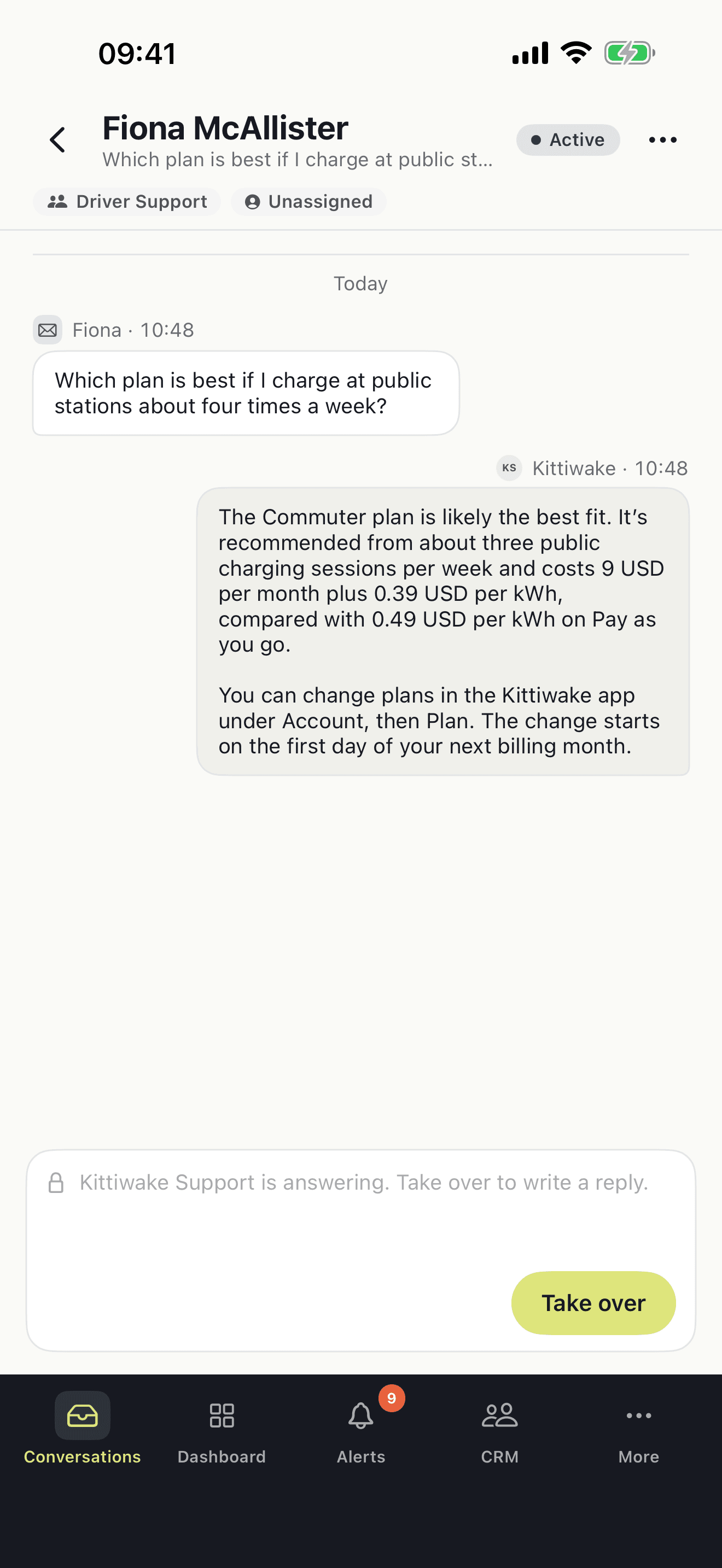
While the Agent Stack is answering, the reply field is locked and shows who is writing. Tap Take over and the conversation is yours: the AI stops, and the customer hears from you in the same thread.
- The AI's earlier replies stay in the thread, so you have the context.
- The customer keeps writing in the channel they chose.
Accept a handover and reply
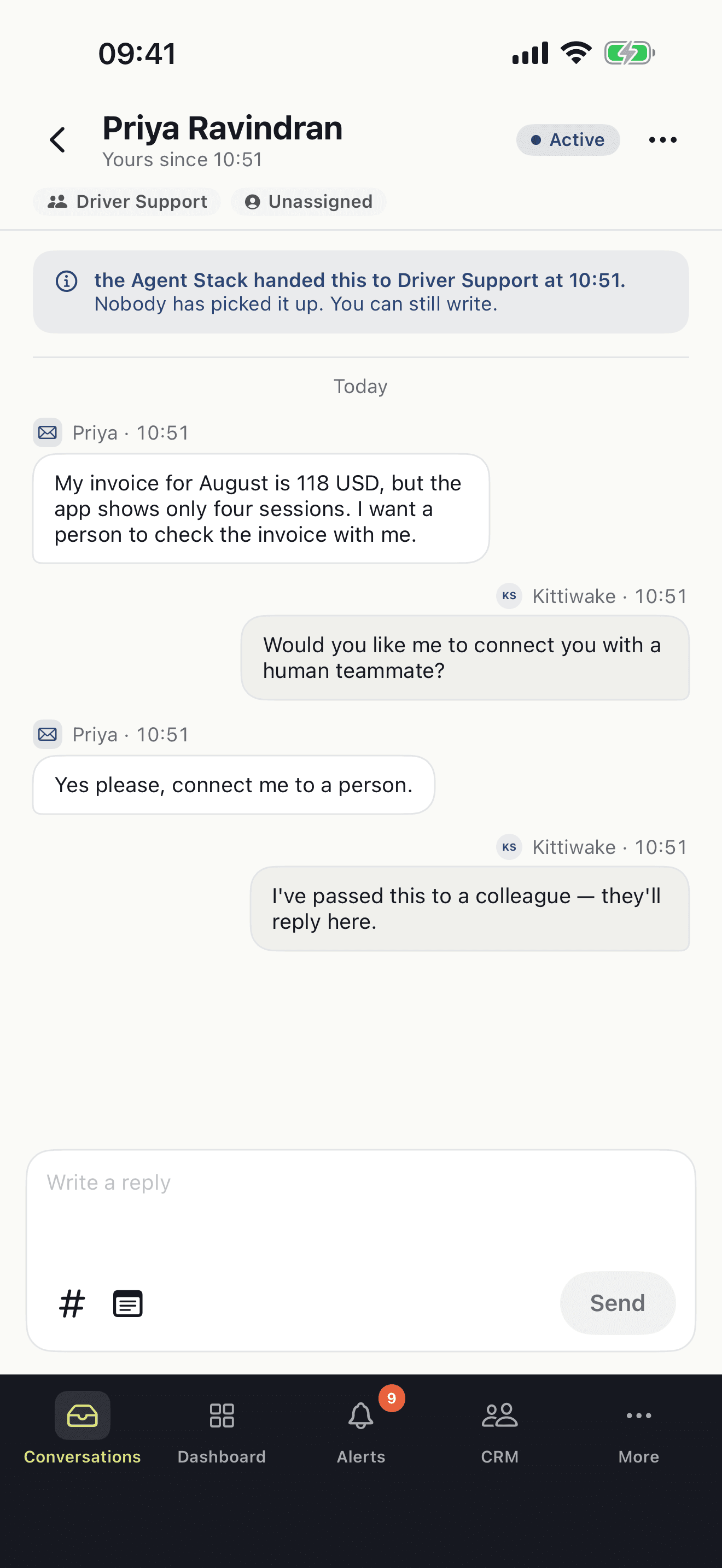
When the Agent Stack asks for a person, the conversation lands with your team. A banner says who handed it over and when, and whether anyone has picked it up. Write a reply, and it is yours.
- Team and assignee are shown at the top of every conversation.
- Snippets and internal notes are one tap from the reply field.
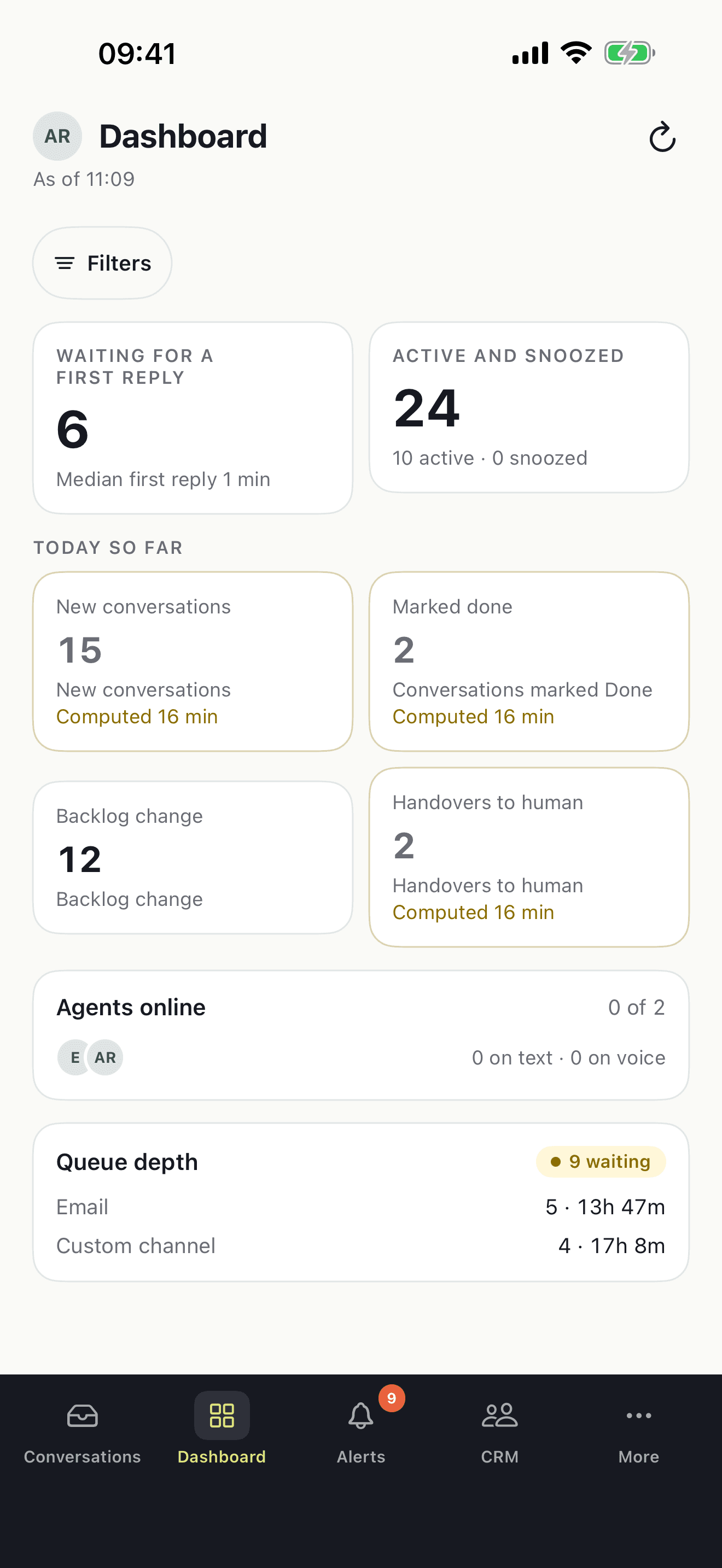
The operation, right now
How many conversations wait for a first reply and how long the median wait is. New conversations, conversations marked done and handovers to a human today. Who is online, and the queue per channel.
- Filters narrow the view.
- Pull to refresh, with the time of the last update on screen.
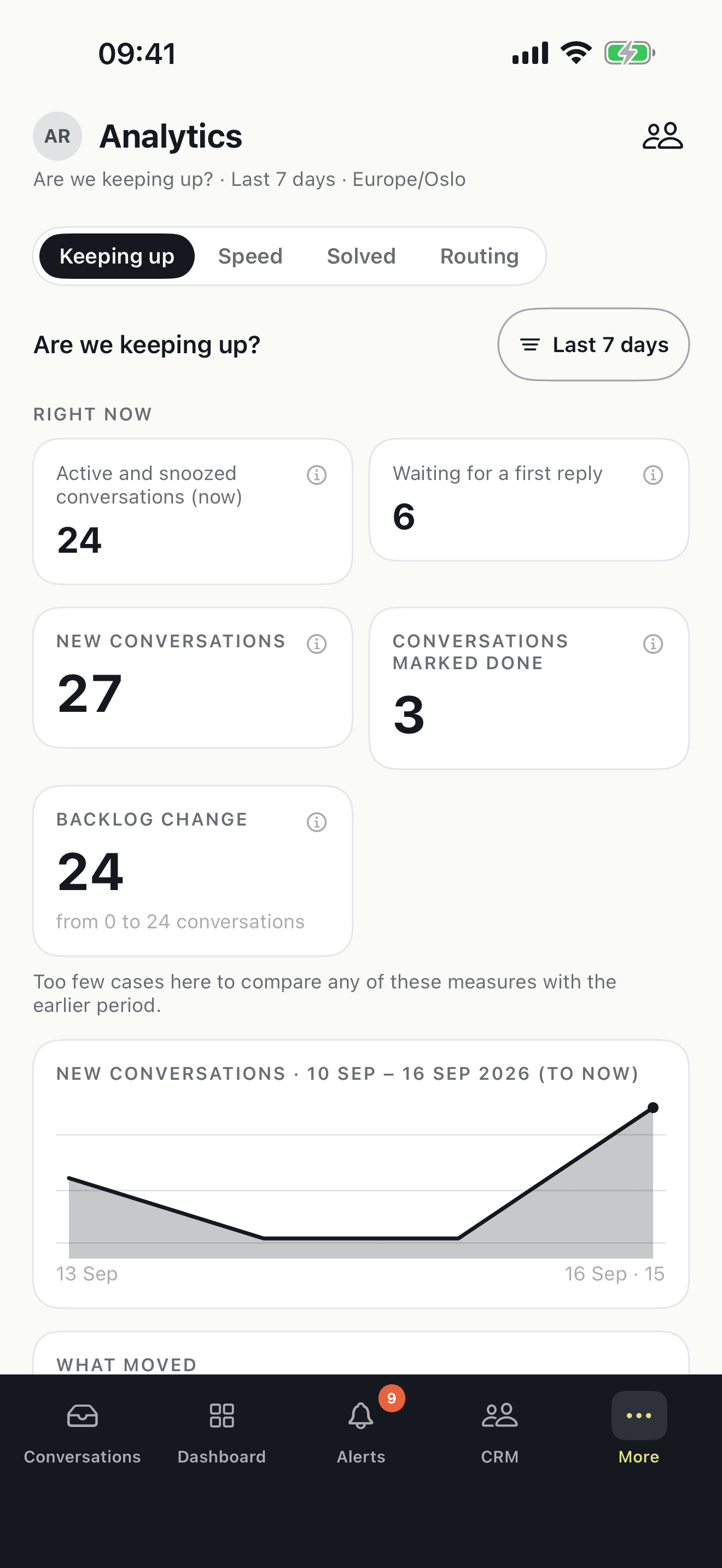
Volumes, speed and trends
Four views: Keeping up, Speed, Solved and Routing. Each compares the period you choose with the one before, and says so when there are too few cases to compare.
- For your team or for the whole workspace.
- Last 7 days by default; pick another period.
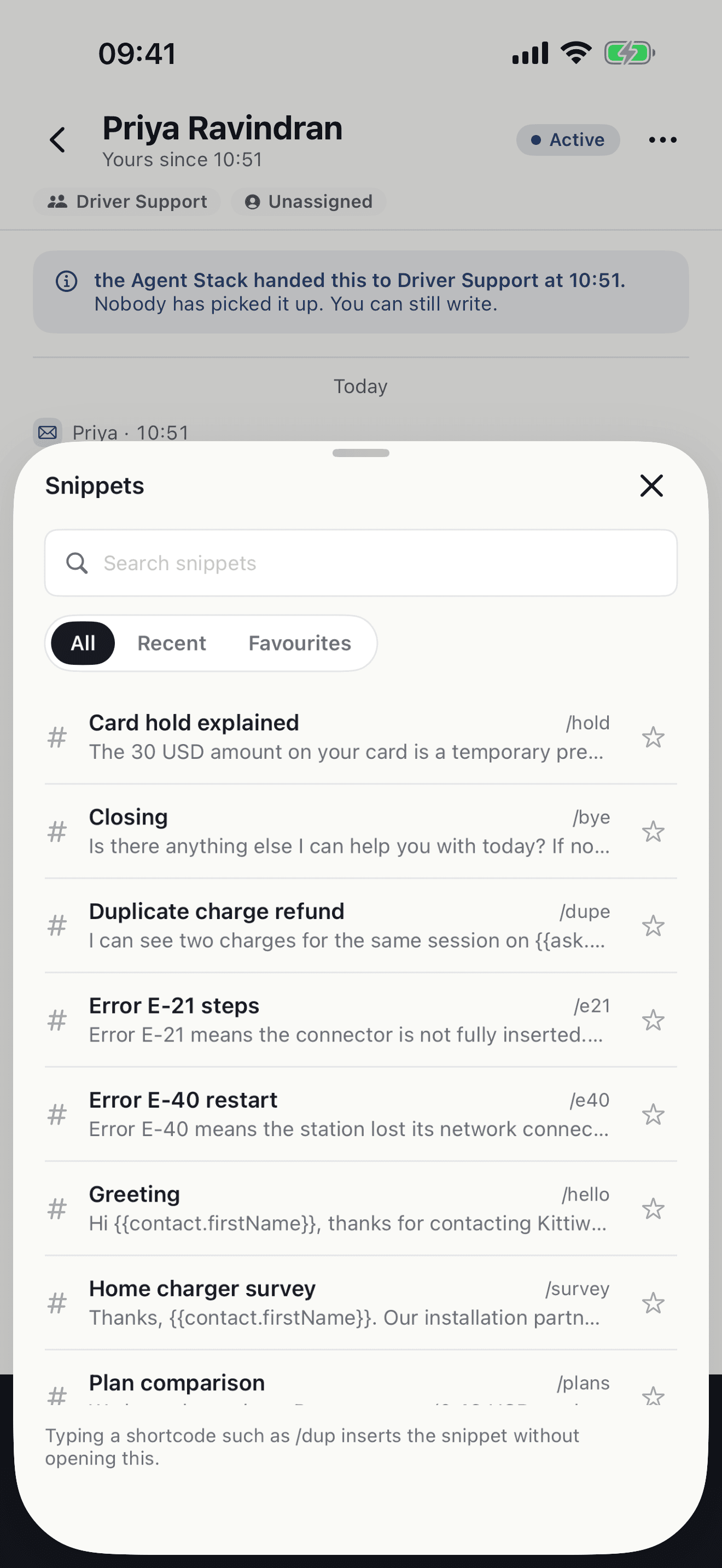
Reply with what your team already uses
The snippets and macros from the web app are in the reply field. Open the picker, search, or type a shortcode such as /hold to insert one without opening anything.
- All, Recent and Favourites.
- Search by name, or scroll the list.
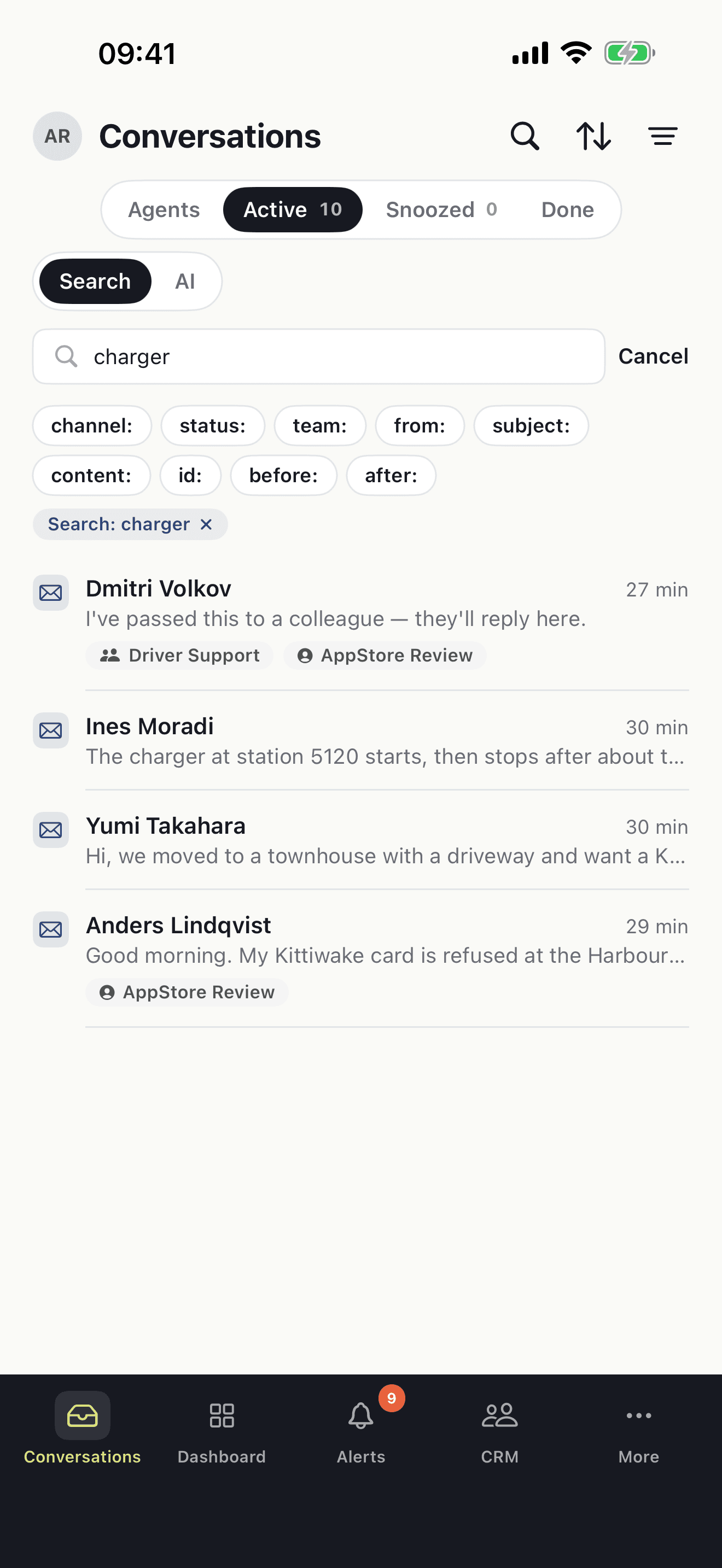
Find any conversation
Search the conversation list. Narrow by channel, status, team, sender, subject, content, id or date, or switch to AI search and describe what you are looking for.
Made for iPhone
You get a push alert when a conversation is assigned to you, when the Agent Stack hands a conversation to your team, or when a promise to a customer is about to run out.
Conversations from email, chat, voice, SMS, WhatsApp and Messenger are in one list, the same as in the web app.
Assign, snooze, tag, add an internal note, and mark a conversation done.
Native screens, swipe actions and pull to refresh.
Lock-screen alerts say what kind of work waits, not what the customer wrote.
Your sign-in stays in the iPhone keychain. Sign out and remove this iPhone from your account at any time.
Get the app
The app is for people who already have an Atender work account. Your workspace administrator gives you access, and you sign in with the same email and password as in the web app.